General
Alpha 87A RC can be run Local and/or as Remote Base Server or as Remote Client.
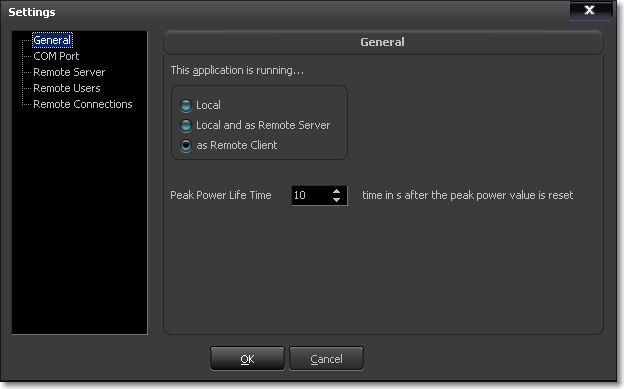
- If you set the application type to Local or Remote Base Server you need to specify the COM Port your transceiver is connected to.
- If you set the application type to Remote Base Server you need to set the server name and port in the Remote Server settings.
- If you set the application type to Remote Client specify the necessary parameters in the Remote Connections settings to be able to connect to one.
You can easily test a client server setup on the same computer by installing the application twice, each in a different program folder. Set one application type to Server, the other to Client and use localhost or IP address 127.0.0.1 for testing.
If you prefer to watch Peak Power and Input Power peak values in the application, set the Peak Power Life Time parameter. It is 10 seconds by default.
Back to Documentation | Next: Radio COM Port